


What the Leaf Effect Is
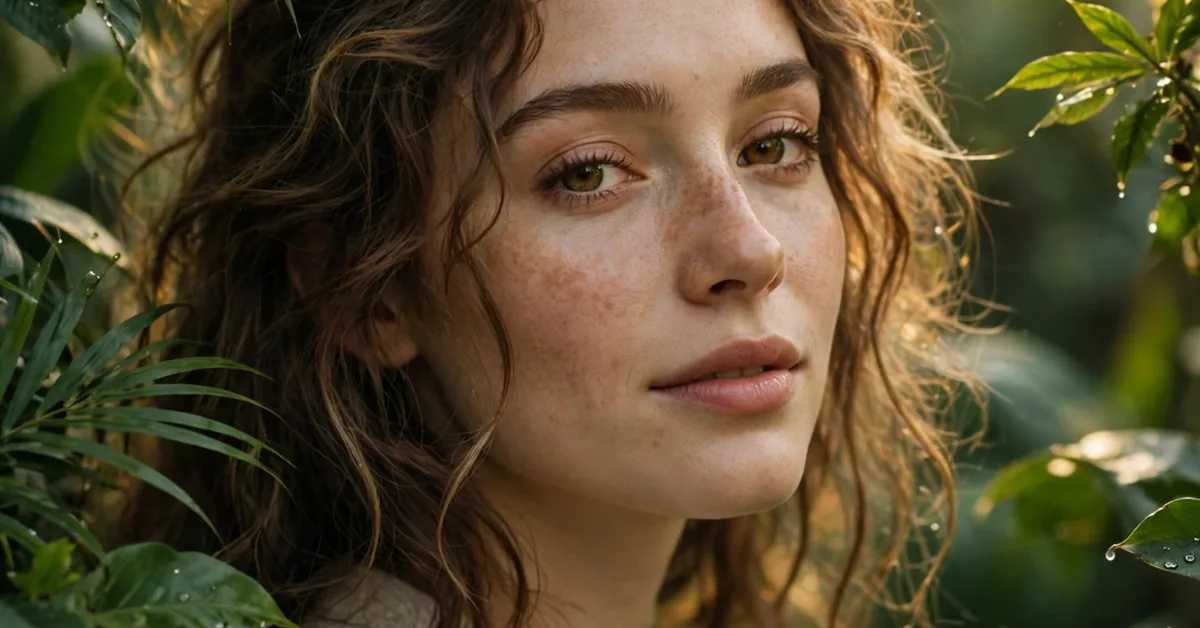
The leaf photo effect places leaves around your subject — floating green leaves, autumn browns, or soft blurred foliage at the edges of the frame — so a plain portrait takes on a natural, almost cinematic feel. It blew up on Instagram and TikTok because it does something simple very well: it gives a flat phone photo depth, colour, and a story, without the viewer needing to know anything about editing.
There are two very different ways to get the look. One is the honest craft version: shoot near real plants, or layer leaf PNGs over your photo in an editor and blend them by hand. The other is the AI version: type a short description into an image tool and let it rebuild the scene. Both can look good. The hand-blended version keeps your real face and real photo; the AI version can drift into something that no longer looks like you. Know which one you want before you start.
Method 1: Blend Leaves Over Your Own Photo
This is the method to use when the photo matters — a profile picture, a portfolio shot, a gift for family. Pick a sharp, well-lit portrait first; a blurry photo stays blurry under leaves. Then choose leaves that match the mood: fresh green for a clean summer feel, dry orange and brown for autumn, dark monstera-style leaves for a bold, dramatic frame.
In PicsArt, Canva, or Photopea, add the leaf layer on top of your photo, then lower its opacity to around 60–70% so the leaves sit in the scene instead of pasted on it. Set the blend mode to Soft Light or Screen for a gentle glow, or Multiply when you want leaves to darken the edges like shade. Put the largest leaves at the corners and edges, never across the eyes or mouth, and blur the front leaves slightly — real leaves near a camera are never tack-sharp. Export at the highest resolution the app allows; a 1080p export looks fine on a phone screen but falls apart as a print or a profile crop.
Method 2: The AI Leaf Portrait
AI tools can generate a leaf-framed portrait from a text description in under a minute. The results can be striking, but they come with a trade-off the trend rarely mentions: the face in the output is an interpretation, not your face. Fine for fun posts, risky for anything where people need to recognise you — a business profile, a dating profile, a portfolio.
If you use AI, keep the description specific about light and setting (“soft evening light through green leaves, natural skin texture”) and vague about nothing else, and check the hands, ears, and background edges before posting — AI still fumbles those. Never upload photos of children to random AI editing sites, and read what the tool does with your uploads; some services keep them for training.
Five Mistakes That Ruin the Effect
First, too many leaves. A frame of leaves works; a bush on your face doesn’t. Second, clashing seasons — green leaves on a winter coat photo look wrong. Third, neon greens straight from a filter, which scream “edited” in a way natural greens don’t. Fourth, leaves sharper than the subject, which flips the depth and confuses the eye. Fifth, ignoring skin tones: a heavy green cast on skin can be fixed with a quick warm-temperature adjustment, and skipping that step is what makes most amateur leaf edits look off.
Where It Works Best
Leaf edits shine on profile photos, couple shoots, nature-themed business pages (plant shops, wedding photographers, mehndi artists), and seasonal posts — spring launches, Eid greetings with a fresh green frame, autumn content in October and November. They flop on formal documents, CV photos, and anywhere a plain, honest likeness is expected.
Pair the effect with the rest of your editing toolkit: a gentle background blur behind the subject (see our ReLens camera review for how depth blur works) and a resolution pass first (our guide to enhancing photos to HD explains the limits honestly). Leaves on a sharp photo look premium; leaves on a blurry one just look busy.
What is the leaf photo effect?
The leaf photo effect places leaves around your subject — floating green leaves, autumn colours, or soft blurred foliage — to give a plain portrait depth and a natural, cinematic feel.
Which app is best for the leaf photo effect?
PicsArt, Canva, and Photopea all work: add a leaf PNG layer, lower opacity to 60-70%, and use Soft Light or Screen blending so the leaves sit in the scene.
How do I make leaves look natural, not pasted on?
Keep leaves at the edges, never across the eyes or mouth, and blur the front leaves slightly — real leaves near a camera are never tack-sharp.
Can AI generate a leaf portrait from text?
Yes, but the face in an AI output is an interpretation, not your real face — fine for fun posts, risky for profiles where people must recognise you.
What ruins a leaf photo edit?
Too many leaves, clashing seasons, neon greens, and leaves sharper than the subject are the most common mistakes.
