

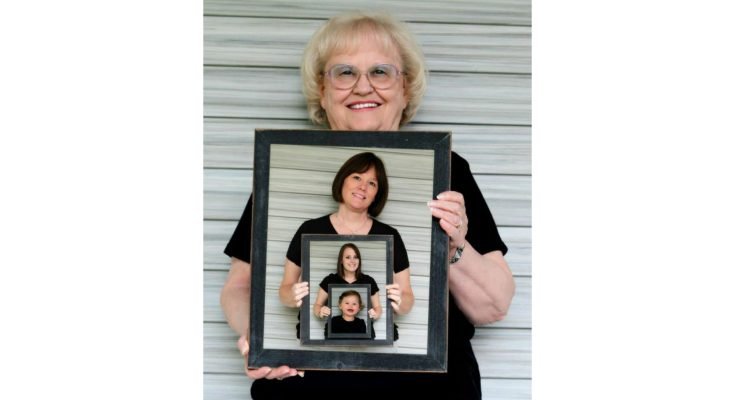
There’s a specific kind of photo trend that keeps making the rounds on Instagram and Facebook in Pakistan — someone posts their current picture next to an AI-generated version of themselves as a kid, and the comments fill up with people asking how it was done. It’s not a complicated retouch or a filter you’d find in a regular camera app. It’s AI reimagining your face at a younger age, often with a slightly nostalgic, old-photo feel to it.
Turning your photo into a childhood-style image has become one of those trends people try just for fun, then end up sharing because the result actually looks convincing. No editing skills needed, no complicated software just an app, one photo, and a few taps to see what you might have looked like decades before you actually had a phone to take pictures with.
Read More:Best Video Editing App for Android & iPhone
What This Kind of App Actually Does
The idea is simple enough: upload a clear photo of yourself, and an AI model generates a version of your face as it might have looked decades earlier. It’s not a manual edit where someone smooths your skin and calls it a day — it’s a neural network that’s been trained on a large set of childhood photos, learned how facial structure typically shifts with age, and then works that process in reverse on your picture.
The output isn’t a cartoon or an obvious filter overlay. Done well, it looks like an actual old photo of you as a kid — proportioned features, matching skin tone, same general bone structure, just younger. That realism is exactly why the trend keeps resurfacing on Instagram and Facebook every few months.
How the Process Works
- Upload a clear photo. A straightforward selfie or portrait with good lighting works best — the AI needs a clean view of your face to work from.
- Face detection. The app scans key features — eyes, mouth shape, skin tone, general bone structure — before it starts generating anything.
- Age regression. Using that facial data, the model builds a younger version of your face while keeping enough of your actual features intact that it still looks recognizably like you.
- Preview. You get the result within seconds, ready to compare against the original.
- Save or share. Export in HD and post it wherever you’d like, or just keep it for yourself.
The whole thing runs automatically. There’s no dragging sliders around or manually retouching anything yourself.
What to Expect From the Output
Sharper results than a basic filter. Because it’s built on facial-structure modeling rather than a simple overlay, the childhood version tends to hold up better under close inspection than the kind of filter you’d find in a standard camera app.
Background stays untouched. Only the face gets regenerated — whatever’s behind you in the original photo stays as it was, so the final image doesn’t look artificially composited.
Automatic skin cleanup. Minor blemishes and noise get smoothed out as part of the process, though this is a byproduct of the AI generation rather than a separate editing step you control.
One-tap processing. No editing skill required — pick a photo, tap convert, and wait a few seconds.
Why the Trend Keeps Coming Back
AI face transformation trends tend to resurface in waves — age progression filters, cartoon-style filters, and now childhood versions have all had their moment. Part of the appeal is emotional rather than technical: seeing a believable “you as a kid” image hits differently than most photo filters, especially when you share it next to your current photo and people can’t quite tell where the AI took liberties.
It’s also become a fairly common tool for content creators looking for something engaging and low-effort to post, since the format lends itself well to short videos and side-by-side comparisons on TikTok or Instagram Reels.
Is It Actually Safe to Use?
This is worth asking honestly, since you’re uploading a photo of your own face to process through AI. Reputable apps in this category process the image through a cloud AI engine and don’t retain the photo once the result is generated but that’s not guaranteed across every app claiming to do this, so it’s worth checking an app’s privacy policy or permissions before uploading anything,
rather than assuming every childhood-filter app handles your photo the same way. Stick to apps with a real developer listing and a reasonable number of reviews on the Play Store or App Store, and avoid anything that asks for permissions well beyond camera and gallery access.
Best Ways to Use It
Casual sharing. Posting a childhood version alongside your current photo is the most common use, especially for a quick, low-effort post that still gets engagement.
Family fun. Showing parents, siblings, or your own kids what you looked like at their age tends to land better than you’d expect — it’s a small thing, but people genuinely enjoy it.
Content creation. For anyone making short-form video content, before-and-after transformations are an easy format that doesn’t require much production effort.
If you’re trying it for the first time, start with a well-lit, front-facing photo rather than a group shot or a picture taken from an angle — the AI has a much easier time working with a clear, single face, and the result comes out noticeably more convincing.
Frequently Asked Question
What kind of photo works best for this conversion?
A clear, well-lit, front-facing photo with your face fully visible gives the most accurate and realistic result.
Does the app store or keep my uploaded photos?
Reputable apps process the image and delete it after generating the result, but it’s worth checking the specific app’s privacy policy before uploading, since this can vary.
Will the result actually look like me as a child, or something generic?
A good AI model keeps your actual facial features and bone structure intact while adjusting them younger, so the result should still look recognizably like you rather than a random child’s face.
Does it work on group photos or only single-person shots?
It works best on a single, clearly visible face. Group photos or angled shots tend to produce less accurate results.
Is this available on both Android and iPhone?
Most apps offering this feature are available on both platforms, though it’s worth confirming for the specific app you’re using.
Do I need editing experience to use it?
No, the process is fully automatic — you upload a photo, tap convert, and the AI handles the rest.
Can I use the result for commercial content or advertising?
That depends on the individual app’s terms of use, so it’s worth checking their policy if you plan to use the image for anything beyond personal or casual social sharing.
Conclusion
Turning a photo into a childhood-style image is a small, low-stakes way to try out what AI face regression can actually do, and for most people it’s just a fun thing to post and compare with their current picture. Pick a clear photo, check the app’s privacy policy before uploading anything, and see how close the result actually comes to what you remember looking like as a kid.
