

Best Reels and Template Apps for Android in 2026
Keeping up with whatever transition or trend is dominating Reels this week is genuinely exhausting if you’re trying to edit each video manually from scratch. That’s the actual gap template-based editing apps fill.
Rather than building a video from zero every time, you’re dropping your own clips or photos into a structure someone else already built, timed to a trending sound, with the transitions and effects already worked out. It’s a lower-effort way to keep up with a fast-moving format without needing real editing skill or a lot of spare time.
Here’s a look at the apps actually worth having installed, and what genuinely separates a good one from a mediocre one.
What to Actually Look For in a Reels App
Before getting into specific apps, a few features matter more than others:
Ready-made templates. The whole point of this category, pre-built structures where you drop in your own footage or photos and the app handles pacing, transitions, and text placement.
Beat sync. Good apps automatically time cuts and transitions to the beat of your chosen music track, which is a big part of what makes a Reel feel polished rather than randomly cut.
AI auto-edit. Some apps analyze your raw footage and automatically select and cut the best moments, useful if you’ve got a lot of unedited clips and want a fast first draft rather than manually scrubbing through everything.
Export quality. Check that the app exports at least 1080p, ideally without a watermark on the free tier, since a watermark undercuts the whole point of trying to look polished.
An active, updated template library. Trends move fast, and an app that hasn’t added new templates in months will leave you working with outdated formats that already feel stale.
Best Apps Worth Installing
CapCut
CapCut remains the dominant app in this space, and its position makes sense given it’s owned by ByteDance, the same company behind TikTok, which means its trending templates and sound library sync closely with whatever’s actually popular on TikTok and, by extension, Instagram Reels. The Template feature specifically lets you browse templates other creators have built and reuse the same structure with your own footage dropped in, which is often the fastest route to a genuinely current-feeling result.
VN Video Editor
VN leans slightly more toward manual control than pure template-based editing, offering beat markers, multiple video layers, and more advanced transition options for creators who want to customize beyond what a template alone provides. It’s a good middle ground, template-friendly enough for a quick start, capable enough to grow into if you want more editing control over time.
Tempo
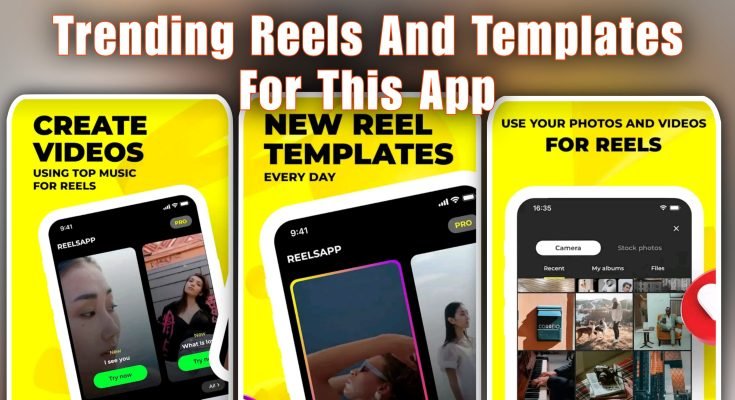
Tempo focuses specifically on music-synced templates, updating its trending template library daily to match whatever sound or format is currently viral. It’s particularly strong for lip-sync videos and slow-motion transition edits, select a template, drop in your clips or photos, and it handles the syncing automatically.
InShot
A reliable, straightforward option if you want something lightweight without a steep learning curve. InShot covers the essentials, filters, stickers, background blur, basic templates, exports cleanly, and doesn’t overwhelm with unnecessary complexity. A solid pick if CapCut or VN feel like more app than you actually need.
Beat.ly
Built around one-click, AI-assisted template editing specifically for music-driven reels and animated slideshows. Its trending section surfaces what’s currently popular across platforms, useful if staying current with trends matters more to you than deep manual editing control.
Getting a Result That Doesn’t Look Like a Generic Template
The tricky part of template-based editing is that everyone using the same popular template ends up with videos that look, structurally, quite similar. A few things help your version stand out:
Pick footage that actually fits the template’s pacing. A template built for quick, punchy cuts needs clips with enough visual interest to hold up at that speed, dropping in slow, static footage into a fast-paced template often looks mismatched.
Adjust text and captions to feel like your own voice, rather than leaving default placeholder text or overly generic captions that could belong to anyone’s video.
Don’t feel locked into using a template exactly as built. Most apps let you adjust timing, swap transitions, or remove elements you don’t need, small tweaks that keep the result from looking identical to every other video using the same template.
Mix template use with occasional fully custom edits. Relying entirely on templates can make a content feed feel repetitive over time. Using templates for quick, frequent posts while occasionally building something fully custom keeps your page feeling like it has its own identity.
A Note on Watermarks and Free Tiers
Most of these apps are free to start, with a premium subscription unlocking extra templates, removing watermarks, and enabling higher-resolution export. If you’re posting occasionally and casually, the free tier of most of these apps is genuinely enough.
If you’re posting regularly for a business page, personal brand, or client work, the watermark-free premium tier becomes worth it fairly quickly, since a visible logo from a different app undercuts the professional look you’re going for.
The Bottom Line
None of these apps require real editing experience to get a decent-looking result, that’s the entire premise. CapCut is the safest default given how closely it tracks actual trending formats, VN is worth it if you want more control as you improve, and InShot or Beat.
ly are solid picks if you want something simpler and faster. Try two or three, see which interface actually feels intuitive to you, and stick with it rather than switching apps constantly chasing whichever one has the newest template drop.
