

Best Keyboard Apps for Android: Type Faster With Fewer Mistakes
Most people use whatever keyboard came pre-installed on their phone and never think twice about it, which is fair, since the default is usually decent enough to get by. But if you’re typing all day, work messages, WhatsApp groups, content for a blog or business page, the keyboard you’re using has a bigger impact on your actual speed and accuracy than most people realize. A few small features, done well, save you a genuine amount of time over the course of a day.
Here’s a rundown of the keyboards worth trying, and the specific features actually worth using once you’ve picked one.
Gboard (Google Keyboard)
Gboard is the default on most Android phones already, and for good reason, it’s genuinely solid without needing much setup. Its predictive text learns from your typing habits over time, gesture typing (swiping between letters instead of tapping each one) is smooth and accurate, and it includes a built-in GIF and emoji search that’s faster than switching to a separate app.
For Pakistani users specifically, Gboard handles multilingual typing well, including switching between English and Urdu, and its predictive text adapts reasonably well to Roman Urdu typing patterns over time, learning the specific words and phrasing you actually use rather than sticking rigidly to formal English predictions.
SwiftKey
SwiftKey’s main strength has always been its prediction engine, it tends to learn your specific writing style faster and more accurately than most competitors, picking up on phrases and word combinations you use often rather than just individual words in isolation. Its swipe typing is comparably strong to Gboard’s, and it supports cloud sync across devices if you want your typing preferences carried over between a phone and tablet.
Microsoft owns SwiftKey now, and it integrates reasonably well if you’re already using Microsoft 365 tools for work.
Fleksy
A lighter, more minimalist option if the feature-heavy nature of Gboard or SwiftKey feels like more than you need. Fleksy focuses on speed and clean design, with customizable themes and a smart autocorrect that’s tuned to keep you moving quickly rather than constantly interrupting with corrections. Worth trying if you find bigger keyboards distracting or want something that feels lighter on your phone.
Features Actually Worth Turning On
Beyond just picking an app, a few specific features make a real, measurable difference in daily typing speed and accuracy:
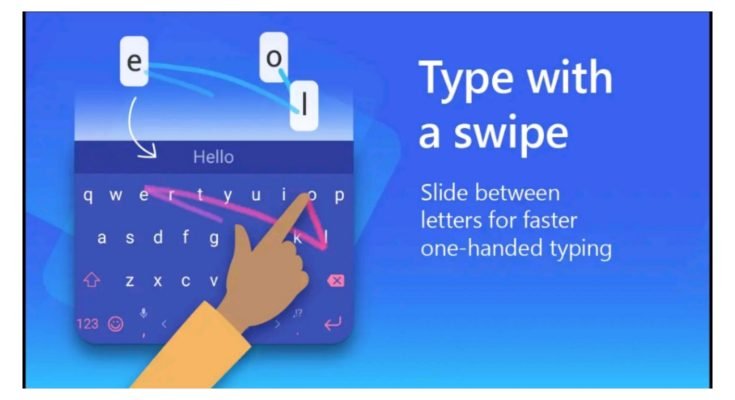
Swipe/gesture typing. If you’re still tapping each letter individually, switching to swipe typing is genuinely one of the biggest speed improvements available, once the muscle memory kicks in, which usually takes a few days of regular use.
Text expansion / custom shortcuts. Most modern keyboards let you set up short abbreviations that expand into full phrases, useful for anything you type repeatedly: a standard work signature, a common customer response, your address for delivery apps. Check your keyboard’s settings for “Text Shortcuts” or “Personal Dictionary” to set these up.
Clipboard management. Rather than losing whatever you last copied the moment you copy something new, keyboards like Gboard keep a running clipboard history, letting you paste from several recent copies rather than just the last one.
Voice typing. Genuinely useful for longer messages or notes where typing feels slower than just speaking. Modern voice recognition on both Gboard and SwiftKey has gotten accurate enough for everyday use, including reasonable accuracy with Urdu and mixed English-Urdu speech.
Privacy Considerations Worth Knowing
Keyboards see everything you type, which makes them a genuinely sensitive category of app from a privacy standpoint. A few practical habits worth keeping:
Stick to well-known, established keyboard apps from the Play Store rather than obscure alternatives, particularly ones offering unusual “extra” features or heavy customization from unfamiliar developers, since a malicious keyboard app is one of the more effective ways to capture sensitive typed information like passwords.
Check what data the app syncs to the cloud, and disable cloud sync specifically if you’re regularly typing sensitive information, banking details, passwords, personal documents, since cloud-synced typing data is a meaningful privacy consideration most people don’t think about.
Keep the app updated, since keyboard apps, like any software with broad access to what you type, benefit from staying current with security patches.
Avoid keyboards that request excessive permissions unrelated to typing itself, contacts access, camera access without a clear GIF or sticker-related reason, location access with no obvious purpose. A keyboard genuinely only needs what it needs to function.
Accessibility Features Worth Knowing About
If typing accuracy is a struggle due to vision, motor control, or general comfort, most major keyboards include accessibility options worth exploring: high-contrast themes for better visibility, adjustable key sizes for easier reach or more precise tapping, and haptic feedback that provides a small tactile confirmation with each keypress, which some people find genuinely improves typing accuracy even without any visual impairment involved.
Picking the Right One
If you want something that just works well without extra setup, Gboard is the safest, most broadly capable default and it’s likely already on your phone. If prediction accuracy specifically matters most to you, particularly for longer, more personalized typing, SwiftKey’s prediction engine tends to edge ahead. And if you want something lighter and less feature-dense, Fleksy is worth trying.
Whichever you land on, actually spend a few days deliberately using swipe typing and text shortcuts rather than falling back into tap-typing everything out of habit. The apps do the heavy lifting, but the speed gain mostly comes from actually using the features rather than just having them available.
