


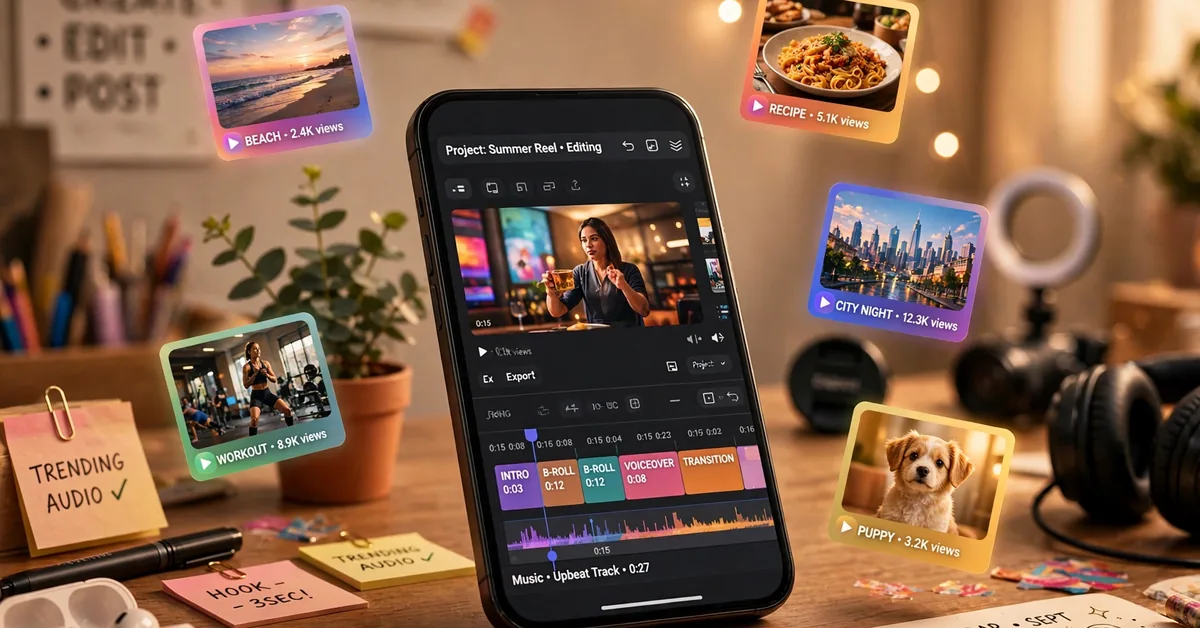
Instagram quietly released its own video editor in April 2025, and the edits app by instagram has since crossed 100 million downloads on the Play Store with a 4.7-star rating. Meta built it as a direct answer to CapCut: a free editor aimed at Reels creators, with 4K exports, no watermark, and a live performance dashboard. Sounds too good to be true. After looking at what it actually does well and where it stumbles, here is the honest picture.
What Is the Edits App, Really?
Edits is a standalone mobile video editor made by Instagram (Meta Platforms). It is not the little editor inside Instagram. It is a full app, free on Android and iOS, where you shoot, trim, and polish short videos before sharing them anywhere.
The pitch is simple: everything a Reels creator needs in one place, without paying a subscription. You get a proper timeline, AI tools, and trend discovery, and your exports carry no watermark. The trade-off? It only makes sense if you are comfortable logging in with an Instagram account.
Standout Features (The Things Actually Worth Using)
1. 4K Exports With No Watermark
This is the headline. Most free editors either cap your resolution or stamp their logo on your video. Edits exports in 4K, watermark-free, and lets you share to Instagram or any other platform. For creators who post daily, that alone makes it worth installing.
2. Frame-Accurate Timeline
Trimming happens down to a single frame, which matters more than it sounds. Syncing a cut to a beat in the audio is far easier when the timeline does not snap to rough chunks. You can capture clips up to 10 minutes long and jump straight into editing.
3. Green Screen and AI Image Animation
The green screen tool works well for talking-head videos: swap your background without a physical setup. The AI image animation feature can bring a still photo to life, which is a nice trick for thumbnails-turned-clips. If you have used an AI-powered camera app like ReLens, you will recognise the same “AI depth” style of effect, though applied to video here.
4. Auto Captions
Edits generates captions automatically and lets you restyle them. Captioned Reels get more watch time because most people scroll with sound off. Accuracy is solid for clear English speech; for Urdu or heavy regional accents, expect to fix a few lines manually.
5. Inspiration Tab and Ideas Tab
The Inspiration tab shows trending Reels and trending audio, which is genuinely useful when you are out of ideas. The Ideas tab is a notepad for saving concepts until you are ready to shoot. Neither is revolutionary, but they keep you from leaving the app mid-creation.
6. Live Insights Dashboard
Once your Reel is live, Edits shows engagement stats, including what drives engagement and where viewers skip. Think of it as a lightweight analytics panel sitting inside your editor. For small creators trying to figure out what works, this is more useful than half the editing features.
How to Set Up Edits on Android (5 Steps)
- Install from the Play Store only. Search “Edits” by Instagram, or use the green button above. Do not download it from random APK websites (more on why below).
- Log in with Instagram. There is no guest mode. You need an active Instagram account to open the app at all.
- Start a new project. Tap the plus button, pick clips from your gallery, or record directly in the app with its upgraded camera controls.
- Edit on the timeline. Trim clips, layer audio, add captions, drop in effects. Save your favourite looks as drafts if you post in a consistent style.
- Export and share. Choose your quality, export, and share straight to Instagram or save the file to your phone. No watermark, ever.
The app needs Android 9.0 or higher and a stable connection for the AI and trend features. It is a heavy app, so budget some storage.
Edits vs CapCut: An Honest Comparison
CapCut is still the benchmark, so here is where each one actually stands in 2026:
- Templates and effects library: CapCut wins by a mile. Its template library is huge; Edits feels thin by comparison. If you make videos by slapping together templates, CapCut is still your app.
- Watermark and pricing: Edits wins. Everything that matters is free and watermark-free. CapCut keeps pushing more features behind its paid tier.
- Instagram integration: Edits wins. Sharing to Instagram keeps its quality, and the insights dashboard reads your actual Reel performance. CapCut is platform-neutral, which is fine but offers no such feedback loop.
- Advanced editing tools: CapCut wins. Keyframes, deeper audio controls, and finer adjustments are either missing or simpler in Edits. Power users will feel the gap.
- Reliability: This one is mixed. Edits has faced user complaints about crashes, export failures, and audio sync issues. CapCut is the more battle-tested app right now.
Bottom line: Edits is the better pick for casual Reels creators who want fast, free, clean exports. CapCut still rules for template lovers and advanced editors.
Honest Downsides (The Parts the Hype Skips)
- Instagram login is mandatory. No Instagram account, no app. If you are not on Instagram or dislike tying your editor to Meta, this is a deal-breaker.
- Smaller template and effect library. CapCut’s library is years ahead. Edits has filters and stickers, but the creative buffet is smaller.
- Missing pro tools. No keyframes, limited audio adjustment, and a 10-minute cap on export length. Not the app for long-form editing.
- Stability complaints. Reviews mention crashes, frozen previews, and failed exports. Your mileage will vary with your phone.
- Paid features are coming. Meta announced in late 2026 that an AI creative assistant inside Edits is free only within a daily prompt limit, with more access planned through paid Meta One plans (an “Edits Plus” tier with extra cloud storage is on the roadmap). The core editor remains free, but the direction is clear. There is also an unconfirmed rumor floating around about a codenamed AI feature set (“Asteria”) going behind a paywall, but nothing official has confirmed that, so take it with a grain of salt.
Who Should Try Edits?
- Reels and TikTok creators who post frequently and want clean, watermark-free exports without paying.
- Small business owners in Pakistan making product Reels on a phone. The auto captions and trend tabs genuinely help here.
- Beginners who find CapCut’s interface overwhelming. Edits keeps things simpler.
You should probably skip it if you edit long videos, need keyframes and heavy effects, or refuse to link an Instagram account to your editor. If you enjoy reviewing creator apps in general, our YouCam Makeup review follows the same honest format.
Verdict: Should You Download It in 2026?
Edits is a strong free editor with one unbeatable offer: 4K, watermark-free exports, made by the platform you are probably posting to. It does not beat CapCut at everything, and its stability and thin template library are real weaknesses. But for the average Pakistani creator making short videos on a mid-range phone, it is one of the best free options available right now. Grab it from the official Play Store, skip the shady APK mirrors, and keep CapCut installed for the days you need templates.
Safety note: only download Edits from the Google Play Store. Third-party APK sites often bundle modified versions with ads or malware. If an “Edits mod APK with premium unlocked” pops up, that is a red flag. There is no paid tier to unlock in the first place (aside from the upcoming Meta One add-ons), so anything promising that is lying to you.
Is the Edits app by Instagram free?
Yes. The Edits app is completely free to download and use, with 4K exports and no watermark. Instagram has announced paid Meta One plans for expanded AI assistant usage, but the core editor remains free.
Do I need an Instagram account to use Edits?
Yes. An active Instagram account is required to log in and use the app. There is no guest mode or standalone sign-up.
Can I use Edits without a watermark?
Yes. All exports from Edits are watermark-free, including 4K exports. This is one of its biggest advantages over many free competitors.
Is Edits available in Pakistan?
Yes. Edits is available on the Google Play Store in Pakistan for Android 9.0 and above, and on iOS. Download it only from the official Play Store, not from third-party APK sites.
Is Edits better than CapCut?
It depends. Edits is better for free, watermark-free 4K exports and Instagram analytics. CapCut is better for templates, effects, and advanced tools like keyframes. Many creators keep both installed.
Does Edits support Urdu auto captions?
Edits generates captions automatically and they work well for clear English speech. For Urdu or regional accents, accuracy drops and you may need to edit the captions manually after generation.

1 Comment
Pingback: Trending Reels Apps 2026: Templates That Make Reels Pop