

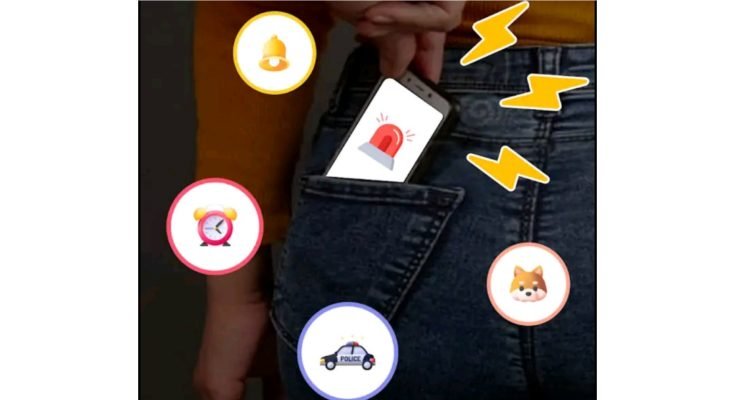
Phone snatching is one of those things almost everyone in Pakistan has either experienced or knows someone who has — a bike pulls up next to you at a signal, or someone brushes past in a crowded bazaar, and your phone is just gone before you’ve even processed what happened. Beyond losing the device itself, there’s the sinking feeling of everything else that goes with it — your WhatsApp, your photos, your banking apps, all suddenly in someone else’s hands.
A phone theft alert app won’t stop someone from grabbing your phone in the first place, but it can make that moment far less costly. These apps are built to detect the specific movements and patterns of a snatch or an unauthorized attempt to access your phone, and react instantly — with alarms, location tracking, or automatic locks — before whoever took it gets very far.
Read more:Second Line eSIM App for Private, Business Calls
Phone Theft Alert: Smart Security for Your Phone
Phone snatching is one of those things almost everyone in Pakistan has either experienced or knows someone who has — a bike pulls up next to you at a signal, or someone brushes past in a crowded bazaar, and your phone is just gone before you’ve even processed what happened. Beyond losing the device itself, there’s the sinking feeling of everything else that goes with it — your WhatsApp, your photos, your banking apps, all suddenly in someone else’s hands.
A phone theft alert app won’t stop someone from grabbing your phone in the first place, but it can make that moment far less costly. These apps are built to detect the specific movements and patterns of a snatch or an unauthorized attempt to access your phone, and react instantly — with alarms, location tracking, or automatic locks — before whoever took it gets very far.
Why This Matters More Than It Used To
A phone used to just be a phone. Now it’s your bank, your identity verification, your entire photo library, and often the primary way businesses and freelancers manage client communication. Losing one isn’t just an inconvenience anymore — it opens the door to a lot more than the cost of a replacement device.
Someone with access to a stolen, unlocked phone can potentially get into mobile banking apps, digital wallets, and social media accounts, all of which carry real financial and personal risk beyond the device itself. For freelancers and small business owners, a stolen phone might mean exposed client conversations or sensitive business information sitting in an email inbox someone else now has access to. For anyone else, it’s family photos, private conversations, and years of digital memory suddenly out of your control.
This is exactly the gap a phone theft alert app is meant to close — not by preventing theft outright, since no app can physically stop someone from snatching a phone, but by making the aftermath far more manageable and giving you tools to act quickly once it happens.
What These Apps Actually Do
Anti-theft alarm. If someone tries to move, unplug, or forcibly unlock your phone without permission, the app triggers a loud alarm. This is particularly useful in public settings — a café, a bus stop, a crowded market — where a sudden loud sound can be enough to make a thief drop the phone and walk away rather than risk drawing attention.
Live location tracking. Once a phone is out of your hands, GPS tracking becomes the main tool for figuring out where it’s gone. Real-time location data on a map gives you (and, if needed, the police) something concrete to work with rather than just hoping the phone turns up somewhere.
Remote lock and data wipe. If recovery isn’t realistic, the priority shifts to protecting whatever’s stored on the phone. Being able to lock the device remotely, or wipe sensitive data entirely, means a stolen phone doesn’t automatically translate into stolen personal or financial information.
SIM change alerts. A common move after a phone theft is swapping out the SIM immediately, since that disconnects the phone from your number and makes it harder to trace. A good theft alert app flags this the moment it happens, notifying you by email or an alternate number so you’re not left wondering.
Intruder photo capture. Some apps quietly take a photo using the front camera whenever someone enters the wrong unlock code a set number of times, sending that image straight to your email. It’s a small feature, but it’s proven useful in more than a few cases where the photo itself helped identify who actually had the phone.
Battery and device monitoring. Not directly theft-related, but a lot of these apps bundle in general device health tools — battery status, storage use, performance — since they’re already running in the background monitoring the phone anyway.
Why This Is Worth Setting Up Before You Actually Need It
The obvious problem with theft protection is that it only matters after something’s already gone wrong, which is exactly why most people never get around to setting it up until after a bad experience. But the entire value of these features depends on them being active before the theft happens — a remote lock feature does nothing for a phone that was never connected to an account in the first place.
A few groups benefit more than most from having this set up in advance. Anyone doing mobile banking or using digital wallets regularly has a direct financial reason to want a locked-down, trackable phone rather than an open one. Freelancers and small business owners juggling client communication and business accounts on their personal device are effectively carrying business risk in their pocket without realizing it. And anyone active on social media for work — content creators, influencers, people managing brand pages — stands to lose more than just a device if account access ends up compromised along with it.
Choosing an App That’s Actually Worth Installing
Not every app claiming to offer “theft protection” delivers the same level of actual security, so it’s worth being a bit selective rather than grabbing the first result in the Play Store search. A few things worth checking before committing to one:
Review history and ratings. A theft protection app with a thin review base or inconsistent ratings is a riskier bet — you want something with a track record, since this is exactly the kind of app where you don’t want to discover a flaw the hard way.
Cross-platform availability. If you or your family use a mix of Android and iPhone, it’s worth picking something available across both rather than locking your setup to one platform.
A clear, honest privacy policy. Given how much access these apps need — location, camera, storage — it matters that the developer is upfront about what data gets collected and how it’s used. Vague or missing privacy documentation is a real red flag here, not a minor detail.
Reasonable subscription pricing. Some of the more capable features, like cloud backup or advanced tracking history, often sit behind a premium tier. That’s a normal trade-off, but it’s worth comparing what you’re actually getting for the cost rather than assuming the most expensive option is automatically the best one.
Bundled security extras. A number of theft alert apps also fold in basic antivirus scanning or phishing link detection, which adds a bit more everyday value beyond just theft-specific protection.
Setting One Up
Getting one of these apps running properly takes a bit more setup than a typical download-and-open app, mostly because it needs deeper permissions to actually function the way it’s supposed to:
- Install the app from the Play Store or App Store rather than a third-party source, given how many permissions it will need access to.
- Create an account and link it properly — this step matters, since remote locking and tracking only work if the phone is tied to your account before anything happens.
- Grant the permissions it requests for location, camera, and device admin access. These sound broad, but they’re what actually make the alarm, tracking, and lock features work.
- Set up alert preferences — SIM change notifications, failed unlock attempts, and whether you want intruder photo capture enabled.
- Test the alarm and remote lock features once, while the phone is still safely in your hands, so you know how they behave before you’d ever need to rely on them in a real situation.
That last step matters more than people expect. Discovering how a remote lock feature actually works for the first time while panicking over a stolen phone is a bad time to be learning the interface.
Beyond the App Itself
A theft alert app is genuinely useful, but it works best as one part of a broader habit around device security rather than a standalone fix. A strong PIN or biometric lock is still your first line of defense — a phone that’s already unlocked when it’s snatched gives a thief a head start no alarm can undo. Keeping cloud backup enabled for photos and important files means that even in a worst-case scenario where the phone is never recovered, your actual data isn’t gone with it. And registering your phone’s IMEI with your network operator gives you an additional route to report the device as stolen, which can help block it from being used on local networks even if it’s never physically recovered.
None of these steps take much time individually, but stacked together, they make a real difference in how much a phone theft actually costs you — financially and otherwise — beyond just the price of the device.
Closing Thought
A phone theft alert app can’t stop someone from grabbing your phone at a bus stop or a crowded market, but it can be the difference between losing a device and losing everything tied to it — your banking access, your photos, your business conversations, your identity online. Set one up while your phone is still safely in your pocket, test the features once so you actually know how they work, and treat it as one part of a habit rather than a box you check and forget about.
FAQs
Can a theft alert app actually stop someone from stealing my phone?
No, it can’t physically prevent a snatch or theft, but it can trigger an alarm, lock the device, or track its location afterward, which limits the damage and improves your chances of recovery.
Does the app work if the thief removes my SIM card?
Yes, a good theft alert app detects when the SIM has been changed and sends you a notification through email or an alternate number, even without your original SIM in the phone.
Will remote lock and data wipe actually delete my personal files permanently?
Yes, a remote wipe typically erases data from the device permanently, which is meant as a last resort if recovery isn’t realistic and protecting your information becomes the priority.
Do I need to set up the app before my phone is stolen for it to work?
Yes, these features only work if the app is already installed, linked to your account, and properly configured beforehand. There’s no way to activate protection after the theft has already happened.
Does the intruder photo feature work without the thief knowing?
Yes, it typically captures a photo silently using the front camera after failed unlock attempts and sends it to your linked email without alerting whoever is holding the phone.
Are these apps available for both Android and iPhone?
Most reliable theft alert apps support both platforms, though it’s worth checking the specific app’s compatibility before installing.
Conclusion
A phone theft alert app can’t stop someone from grabbing your phone at a bus stop or a crowded market, but it can be the difference between losing a device and losing everything tied to it — your banking access, your photos, your business conversations, your identity online. Set one up while your phone is still safely in your pocket, test the features once so you actually know how they work, and treat it as one part of a habit rather than a box you check and forget about.
DOWNLOAD
