

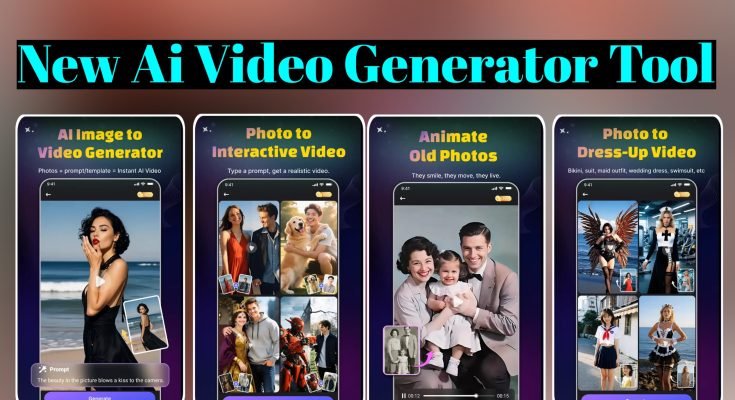
AI Video Generator Tools: How They Work and Which Ones Are Worth Your Time
If you’ve ever tried making a video the traditional way — filming, importing clips into an editor, matching a voiceover, adding captions, exporting, re-exporting because the audio was off by half a second — you know it eats an entire evening for even a short clip. AI video generators exist specifically to skip most of that. Type a script, pick a style, and within a few minutes you’ve got a video with visuals, a voiceover, and captions already synced.
This isn’t science fiction anymore; it’s a category of tools that content creators, small business owners, teachers, and students across Pakistan are already using regularly, often without realizing how much has changed in the last couple of years. Let’s go through what these tools actually do, what they’re genuinely good at, where they still fall short, and which ones are worth trying depending on what you need.
What an AI Video Generator Actually Does
At the core, these tools take an input — usually text, sometimes a static image or a voice recording — and turn it into a finished video without you needing to touch a traditional editing timeline. You write or paste a script, the AI breaks it into scenes, pulls or generates visuals to match each part, adds a synthetic voiceover reading your script aloud, and stitches everything together with transitions and background music.
Some tools go further and generate actual video footage from a text description — think “a drone shot flying over a mountain range at sunrise” turning into a genuinely rendered video clip rather than a stock photo with a pan-and-zoom effect.
That’s a newer, more advanced category, and it’s where a lot of the recent AI video buzz has come from, since it’s a step beyond just automating slideshow-style videos.
Either way, the core value proposition is the same: you supply the idea, the AI handles the technical execution that used to require editing software, a decent microphone, and hours of your time.
The Features That Actually Matter
Not every AI video tool is built the same, and a lot of app store listings oversell features that barely function in practice. Here’s what’s genuinely worth paying attention to when you’re comparing options.
Text-to-video conversion. This is the baseline feature almost every tool offers — paste your script, and the AI structures it into scenes with matching visuals. The quality gap between tools shows up in how relevant those auto-selected visuals actually are to your specific script, rather than generic stock footage loosely related to a keyword.
AI voiceovers. Instead of recording your own voice or hiring a voice actor, these tools generate natural-sounding narration in multiple languages and accents. The quality has improved dramatically over the past couple of years — older AI voices sounded robotic and stilted, while newer ones handle pacing, emphasis, and even mild emotion convincingly enough that casual viewers often can’t tell it’s synthetic. If you’re creating content for an Urdu or regional-language audience, check specifically whether the tool supports that language well, since voice quality often varies a lot between languages within the same app.
Auto-generated subtitles. Nearly every social platform favors videos with captions since a large chunk of viewers watch with sound off, especially on mobile. Automatic subtitle generation saves the tedious job of typing them out manually and timing them to match speech, and it’s one of the more reliably useful features across most tools in this category.
Templates for specific formats. Good tools offer templates tailored to what you’re actually making — vertical formats for TikTok and Reels, horizontal for YouTube, specific layouts for explainer videos or product demos. This matters more than it sounds, because manually resizing and reformatting a video after the fact is tedious and often results in awkward cropping.
Stock media integration. Rather than generating every visual from scratch, most tools pull from large stock footage and image libraries that match your script’s keywords, then let you swap out anything that doesn’t fit well. Being able to upload your own footage or images alongside the AI-selected ones gives you more control over how personal or generic the final video feels.
AI avatars. Some platforms let you generate a talking digital presenter reading your script on camera, which is genuinely useful for training videos, corporate explainers, or content where you don’t want to appear on camera yourself. This feature tends to be locked behind paid tiers on most platforms, and quality varies noticeably — some avatars still look a bit uncanny, especially around lip-sync accuracy.
Where These Tools Genuinely Save Time and Money
The honest case for AI video tools comes down to a few practical wins rather than hype.
Turnaround time drops dramatically. A video that used to take a day of filming and editing can realistically come together in under an hour, sometimes much less for shorter content. This matters a lot if you’re running a business page or content channel that needs to post consistently — daily or near-daily content simply isn’t sustainable with traditional editing workflows unless you’re doing it full-time.
Cost drops too, since you’re not paying for a camera setup, editing software licenses, a voice actor, or a hired editor. For freelancers and small business owners in Pakistan working with tight budgets, this makes video content accessible in a way it wasn’t a few years ago — you don’t need a studio or a team to put out something that looks professional.
Language reach expands without extra effort. If you want to put out the same content in English and Urdu, or reach a Gulf-based Pakistani audience in a different language entirely, most tools let you regenerate the voiceover in a different language using the same script, without re-filming or re-recording anything.
Consistency improves too, in a quieter but real way — an AI tool doesn’t have an off day, doesn’t rush the last few scenes because it’s tired, and produces roughly the same quality output whether it’s the first video of the week or the fiftieth.
Where They Still Fall Short
It’s worth being realistic about the limits, because a lot of marketing around these tools implies they can fully replace human video production, and that’s not quite true yet.
Generic feel is a common complaint, especially with lower-tier or free plans that rely heavily on template layouts and stock footage. If two creators use the same tool with similar scripts, the outputs can end up looking noticeably similar, which works fine for straightforward content but can feel flat for anything meant to stand out creatively.
AI voiceovers, while much better than before, still occasionally mispronounce names, technical terms, or region-specific words — worth reviewing the full audio before publishing rather than assuming it’s flawless.
True AI-generated video footage (the kind rendered from a text description rather than pulled from stock libraries) is still inconsistent for complex scenes, especially anything involving detailed hand movements, readable text within the scene, or precise physical interactions. It’s improved a lot, but it’s not yet a reliable replacement for actual filmed footage when accuracy matters.
Emotional nuance and storytelling depth are areas where a skilled human editor still generally outperforms automated tools. AI is excellent at assembling a competent, watchable video quickly — it’s less reliable at crafting something with genuine creative intention behind every cut and transition.
Popular AI Video Tools Worth Knowing About
A handful of platforms have become the go-to names in this space, each with a slightly different focus.
Synthesia is built around AI avatars and is popular for corporate training videos, product explainers, and content where a presenter reading a script works better than pure visuals. It’s less suited to fast-paced social content and more geared toward professional, presentation-style videos.
Runway ML leans into the more advanced generative side — actual AI-rendered video clips from text prompts, along with editing tools that go beyond basic template assembly. It appeals more to creators experimenting with genuinely novel visuals rather than straightforward marketing or explainer content.
Pika Labs occupies similar territory, focused on short AI-generated video clips from text or image prompts, and tends to attract users experimenting creatively rather than producing standard business content.
DeepBrain AI focuses heavily on AI avatars and multilingual voiceovers, making it a reasonable option for businesses wanting consistent presenter-style videos across multiple languages without re-filming for each one.
For simpler needs — a quick text-to-video social post, a product highlight reel, a basic explainer — there are also plenty of mobile-friendly apps that skip the more advanced generative features entirely and focus on fast template-based video assembly, which tends to be enough for most everyday content needs without a steep learning curve.
Getting Decent Results Instead of Generic Ones
A few habits separate AI-generated videos that look intentional from ones that feel obviously templated.
Write your script with the final video in mind, not as a plain paragraph. Break it into short, scene-sized chunks rather than long unbroken sentences — most tools generate a new visual for each sentence or short segment, so choppy, overly long sentences tend to produce awkward pacing.
Swap out generic stock visuals wherever the AI’s automatic pick feels off-topic or too broad. Most tools let you browse alternatives or upload your own images for specific scenes, and spending a few extra minutes doing this noticeably improves how polished the final video feels.
Review the auto-generated voiceover and subtitles before publishing rather than trusting them blindly, especially for names, brand terms, or anything region-specific that a generic AI voice model might mispronounce.
Match your template choice to the actual platform you’re posting on. A video built for YouTube’s horizontal format looks cramped and awkward when force-cropped into a vertical TikTok post, so pick the right template from the start rather than resizing after the fact.
Keep videos reasonably short unless you’re making something explicitly long-form, since AI-assembled videos can start to feel repetitive in visual style past a certain length — a well-paced 30 to 60 second clip usually holds attention better than a five-minute one stitched together from the same template patterns.
Who Should Actually Use One
Content creators and social media managers juggling daily posting schedules get the most obvious benefit, since consistent output is otherwise genuinely hard to sustain manually. Small business owners wanting product demos, ads, or promotional content without hiring an agency or freelance editor get a realistic, budget-friendly middle ground.
Teachers and trainers producing e-learning material benefit from being able to update content quickly without re-filming every time information changes. And honestly, anyone with an idea and no editing background can put together something watchable far faster than learning traditional video editing software from scratch.
That said, if you’re producing content where creative distinctiveness is the whole point — a brand campaign meant to stand out, a personal vlog built around your own presence and voice — treat AI video tools as a starting point or a time-saver for the technical assembly, not a full replacement for the creative judgment a human still brings to the table.
Final Thought
AI video generators won’t replace a genuinely skilled editor anytime soon, but for the huge volume of everyday content that just needs to exist quickly and look reasonably professional — social posts, explainers, training material, product highlights — they’ve already changed what’s realistically possible on a tight budget and timeline.
Pick a tool that matches what you’re actually making, spend the extra few minutes swapping out generic visuals for ones that fit, and you’ll get results that hold up a lot better than the default output most people settle for.
