

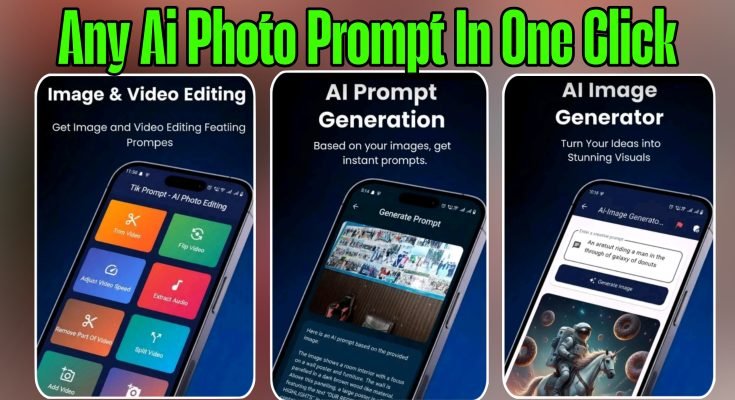
AI Photo Prompt Apps: Turn a Few Words Into a Finished Image
A couple of years ago, generating an image from text meant sitting at a desktop, fighting with Midjourney on Discord, or waiting in a queue for DALL·E. Now that same technology fits inside a phone app, and you can type “a futuristic girl with neon lights in Tokyo” and get a finished image before your chai gets cold. Apps built around this idea — type a prompt, tap generate, get a picture — have become genuinely popular among Pakistani content creators, students making presentations, and just people who enjoy playing around with AI art on a lazy afternoon.
This piece breaks down how these one-click AI photo generator apps actually work, what to expect from them realistically, how to get results that don’t look like AI slop, and a few things worth knowing before you hand over payment details for a “premium” subscription.
How AI Photo Prompt Apps Actually Work
Underneath the simple interface, these apps are running a text-to-image AI model — the same broad category of technology behind DALL·E, Midjourney, and Stable Diffusion. Most mobile apps in this space don’t build their own model from scratch (that takes serious computing resources); instead, they connect to one of these existing models through an API and wrap it in a friendlier mobile interface.
When you type a description — say, “a cozy coffee shop in the rain, watercolor style” — the app sends that text to the AI model running on a server somewhere, the model interprets your words, and it returns a generated image a few seconds later. Nothing is drawn locally on your phone; your device is basically just a remote control sending instructions to a much bigger system doing the actual work.
That’s an important thing to understand, because it explains both the app’s biggest strength and its main limitation. The strength: you get access to genuinely powerful AI image generation without needing a powerful phone or expensive software. The limitation: you need an internet connection for every single generation, and how good your results are depends heavily on which underlying AI model the app is actually using — something most apps don’t advertise clearly.
What “One-Click” Really Means
Marketing language around these apps tends to oversell the “one click” part a little. In practice, here’s the typical flow:
You open the app and land on a prompt box. You either type your own description or pick from a library of preset prompts and templates — useful if you’re not sure how to phrase what you want. Some apps let you select a style first (realistic, anime, oil painting, cyberpunk, and so on), which gets appended to your prompt behind the scenes. Then you tap generate, wait a few seconds while the image processes, and you’re shown one or several results to pick from.
So it’s less “one click and done” and more “one click after you’ve written a decent prompt,” which is fair — the writing part still matters more than any app admits, because vague prompts produce vague, forgettable images regardless of how good the underlying AI model is.
Features Worth Actually Caring About
With dozens of AI photo apps competing for downloads, a few features separate the ones worth keeping from the ones you’ll delete after a week.
Output resolution. Check whether the app generates genuinely high-resolution images or upscales a smaller image afterward using a basic sharpening filter. The difference shows up clearly if you try to use the image as a wallpaper or print it — genuinely upscaled AI images hold detail, while stretched low-res ones look soft and blurry at larger sizes.
Style variety. A good app offers a real range — photorealistic portraits, anime, digital painting, fantasy concept art, minimalist illustration — rather than one style dressed up with different filter names. If every generated image has the same “look” regardless of the style you pick, that’s usually a sign the app is running a single, cheaper model behind everything.
Prompt understanding. This is the part that actually separates decent apps from bad ones. Type something moderately specific — say, “a Karachi street food stall at sunset, cinematic lighting” — and see how closely the result matches what you described versus giving you a generic, unrelated scene. Apps built on stronger underlying models handle detail and composition noticeably better.
Generation limits and watermarks. Free tiers on most of these apps are intentionally limited — a handful of free generations per day, watermarked outputs, or lower resolution on the free plan. That’s a normal business model, not a scam, but it’s worth knowing upfront rather than being surprised when your tenth image of the day gets blocked behind a paywall.
Data and storage practices. Since your prompts and generated images typically get processed and often stored on the app’s servers (cloud storage for your gallery is common), it’s reasonable to check what the app’s privacy policy says about how long your data is kept and whether it’s used to train future models. This isn’t unique to photo apps — it’s standard for most AI tools — but it’s worth a quick look before you start generating anything you’d rather keep private.
Getting Results That Don’t Look Like Generic AI Art
The gap between someone’s first attempt at AI image generation and someone who’s been doing it for a few months usually comes down entirely to prompt writing. A few things genuinely help.
Be specific about the scene, not just the subject. “A girl in Tokyo” gives the AI very little to work with. “A girl standing under neon signs in a rainy Tokyo alley at night, reflections on wet pavement, cinematic lighting” gives it enough detail to produce something that actually looks intentional rather than generic.
Mention the style explicitly. Words like “photorealistic,” “digital painting,” “watercolor,” “3D render,” or “anime style” steer the output significantly. Without a style cue, most models default to a kind of generic digital-art look that gets repetitive fast.
Reference lighting and mood. Terms like “golden hour,” “moody lighting,” “soft natural light,” or “dramatic shadows” do more to elevate an image than most people expect. This is often the single biggest difference between a flat-looking AI image and one that looks genuinely composed.
Iterate instead of accepting the first result. Most apps let you regenerate or tweak your prompt slightly and try again. Treat the first output as a rough draft, not the final answer — adjusting even a few words often produces a noticeably better second or third attempt.
Avoid overstuffing a single prompt with too many conflicting ideas. Trying to cram five different subjects, three lighting styles, and two art styles into one prompt usually confuses the model and produces a muddled result. Keep each prompt focused on one clear idea.
Who Actually Gets Value From These Apps
Content creators on TikTok, YouTube, and Instagram are probably the most obvious audience — needing quick, eye-catching thumbnails or background visuals without hiring a designer or spending hours in Photoshop. A decent AI photo app can produce a usable thumbnail concept in under a minute, which is genuinely useful when you’re publishing content on a tight schedule.
Small business owners and freelance marketers use these apps for quick concept visuals, social media posts, and mockups before committing budget to a proper photoshoot or hired designer. It’s not a full replacement for professional photography or branding work, but it’s a reasonable way to test ideas cheaply before investing real money.
Students putting together presentations can generate relevant illustrative images instead of relying on generic stock photos that everyone else’s slides use too. It won’t replace research or original thinking, but it can make a slide deck look more polished with minimal extra effort.
And honestly, a lot of people just use these apps for fun — experimenting with different prompts, seeing what the AI comes up with for strange or creative ideas, and sharing the results. There’s nothing wrong with that being the main use case; it’s a genuinely enjoyable way to spend fifteen minutes.
A Few Realistic Limitations to Keep in Mind
AI image generators, however good the marketing sounds, still have consistent weak points worth knowing about before you rely on one for something important.
Hands, text, and fine details remain a common weak spot across most models, even the well-regarded ones. Don’t be surprised if a generated image has slightly odd-looking fingers or garbled text on a sign in the background — this is a known limitation across the technology, not a bug specific to one app.
Consistency between multiple generations of the “same” subject is difficult. If you’re trying to generate a recurring character or mascot across several images, expect noticeable differences each time unless the app specifically offers a character-consistency feature, which most basic apps don’t.
Copyright and commercial use terms vary between apps, and it’s worth actually reading the terms of service if you plan to use generated images commercially — for a business logo, product packaging, or paid client work. Some apps grant full commercial rights on paid plans; others are murkier about it. This matters more than people initially assume, especially if the image ends up in front of paying customers.
Results can occasionally still look artificial, oversaturated, or slightly “off” in ways that are hard to describe but easy to notice, especially with faces and complex hands. If you need a genuinely convincing, high-stakes visual — like a corporate ad campaign — treat AI generation as a starting concept rather than a finished asset.
Choosing Between Free and Paid Plans
Most of these apps run on a freemium model: a limited number of free generations daily, then a subscription for unlimited or higher-volume access. Before subscribing to any of them, it’s worth testing the free tier thoroughly first to judge actual output quality against your specific use case, rather than assuming a paid plan will automatically feel dramatically better — sometimes the underlying model is identical between free and paid, and you’re really just paying to remove watermarks or daily limits.
Check for auto-renewing subscriptions carefully in the app store listing before confirming payment, and know how to cancel before your free trial period ends if you’re just testing the waters. This is standard advice for any subscription-based app, not unique to this category, but it’s easy to forget when you’re excited about a new tool.
Final Thought
These apps are genuinely fun and can save real time for anyone who needs quick visuals without design skills — but the quality of what comes out still depends heavily on the quality of what you put in.
Spend a bit of time learning how to write a proper prompt, test the free tier before paying for anything, and treat the results as a strong starting point rather than a finished, publication-ready asset every single time. Once you get a feel for how the AI interprets your wording, the gap between your first attempt and your fiftieth becomes pretty obvious.
