

PTA Device Verification in Pakistan: How to Check If Your Phone Is Registered
If you’ve ever bought a “used” phone from a friend, a local market, or someone on OLX, there’s a decent chance you’ve worried about one thing: will this phone actually work on a Pakistani network, or is it going to get blocked a few weeks in?
That worry is exactly why the Pakistan Telecommunication Authority built its device verification and CNIC-SIM system in the first place, and why it’s worth understanding before you buy, sell, or import any mobile phone.
This isn’t some optional extra feature — it’s become a basic step, the same way you’d check a used car’s registration papers before handing over cash. Let’s go through what this system actually does, how to check your phone the right way, and what to do if something looks off.
Why This System Exists in the First Place
A few years back, Pakistan had a real problem with smuggled and unregistered phones flooding the market. Someone would bring in devices from abroad without paying any duty, sell them cheap, and the buyer would have no idea the phone wasn’t properly documented — until PTA started blocking non-compliant IMEIs from local networks entirely.
To fix this at scale, PTA built DIRBS — the Device Identification, Registration and Blocking System. Every phone has a unique IMEI number (like a fingerprint for hardware), and DIRBS checks that number against PTA’s database the moment a new SIM is inserted. If the phone isn’t registered and hasn’t paid the required duty, it gets flagged, and eventually it won’t be able to make calls or use mobile data on any Pakistani network — Jazz, Zong, Ufone, or Telenor, doesn’t matter which.
On top of device registration, PTA also maintains a separate system letting you check how many SIM cards are currently issued under your CNIC. This one exists for a different reason: identity theft and SIM fraud. People have had SIMs issued in their name without their knowledge, sometimes used for scam calls or worse, and the account holder only finds out when they get a legal notice for something they never did.
Checking Your Phone’s IMEI Status
This part takes about thirty seconds and doesn’t require installing anything.
1. Find your IMEI number. Dial *#06# on your phone’s keypad and it’ll pop up instantly. Some phones show two IMEI numbers if they’re dual-SIM — note both.
2. Send it to PTA via SMS. Text your 15-digit IMEI number to 8484. Within a few seconds, you’ll get a reply telling you whether the device is compliant, non-compliant, or already blocked.
3. Or check it online. Head to the DIRBS portal on PTA’s official website (dirbs.pta.gov.pk) and enter the IMEI manually. This works even before you buy a phone, which is genuinely the smartest time to do it — not after you’ve already handed over your money.
If you’re buying a used phone in person, do this check while you’re standing in front of the seller. It takes less time than haggling over the price, and it saves you from the classic scenario where the phone works fine on the seller’s SIM (because it’s already registered to them) but stops working the moment you insert your own.
Checking How Many SIMs Are Registered on Your CNIC
This one matters more than people realize. PTA allows a limited number of SIMs per CNIC, and if you’ve ever lost your ID card, had it copied for some paperwork, or just never checked, it’s worth confirming nothing’s been issued without your knowledge.
Send your 13-digit CNIC number via SMS to 668. You’ll get a reply listing how many SIMs are currently active against your CNIC, broken down by mobile operator. If you spot a number you don’t recognize and don’t own, that’s your cue to visit your nearest franchise or file a complaint, because that SIM could be sitting in someone else’s phone right now.
This check is also useful if you’re about to buy a new SIM and want to make sure you’re not near your registration limit before heading to the shop.
Is There an Official PTA App?
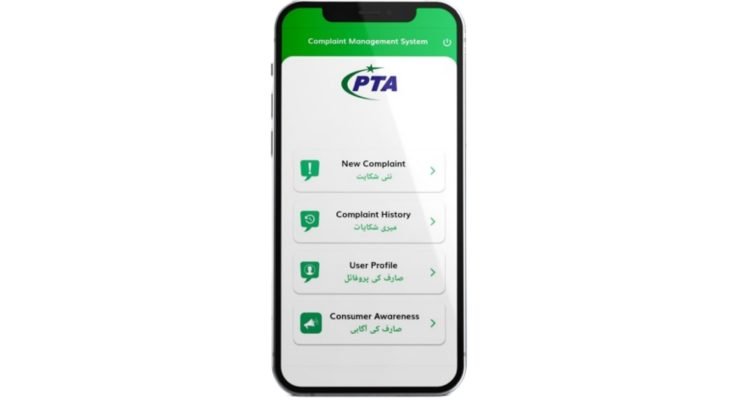
PTA does run mobile-friendly verification services, and their official presence is worth checking directly on the Play Store or pta.gov.pk before installing anything, simply because there’s no shortage of third-party apps in this space using PTA’s name or logo without being affiliated with the authority at all. Some of these copycat apps exist purely to serve ads or, worse, to collect the personal information you type in — your CNIC and IMEI aren’t things you want landing in the wrong hands.
A safe rule: if an app is asking for excessive permissions (contacts, storage, camera) just to run an IMEI check, that’s not normal behavior for a verification tool, and it’s worth uninstalling. The SMS-based methods above don’t need any app at all, and they pull from the exact same PTA database, so honestly, for most people, that’s the simpler and safer route anyway.
What Happens If Your Phone Comes Back Non-Compliant
Don’t panic if your check comes back non-compliant rather than blocked — there’s a difference, and non-compliant phones usually still have a grace period before they’re fully blocked from networks.
If your phone shows as non-compliant, it typically means the applicable duty hasn’t been paid yet. You can register the device through PTA’s DIRBS system by providing your CNIC, the IMEI, and proof of ownership or import (like a purchase receipt if it’s a passenger-baggage import), then pay the calculated tax.
The exact duty amount depends on the phone’s declared value, and it’s shown to you as part of the registration process itself, so there’s no guessing involved.
If your phone shows as already blocked, that’s a more serious situation, and it usually means either the registration deadline passed without payment, or the phone was reported lost or stolen by its original owner — in which case buying it further isn’t advisable regardless of how good the price seemed.
Buying a Phone? Here’s Your Pre-Purchase Checklist
A few habits go a long way toward avoiding a bad purchase, whether you’re buying from a shop, a friend, or an online listing.
Ask for the IMEI before you commit to anything, and check it yourself rather than trusting the seller’s word. Sellers aren’t necessarily lying, but people genuinely don’t always know their own phone’s registration status.
If you’re buying a phone brought in from abroad — say, a relative brought it from Dubai or the UK — assume it isn’t registered yet and factor the duty into your budget. It’s a common surprise for people who didn’t realize the “great deal” on an imported iPhone would need a few thousand rupees more before it can be used with a local SIM long-term.
For brand-new phones bought from an authorized local retailer in Pakistan, this usually isn’t a concern at all, since registration is handled at the point of sale. The risk mostly applies to imported, gifted, or secondhand devices.
Protecting Yourself From SIM Fraud
Beyond checking your own CNIC registration, a few habits help keep your identity safer on the telecom side of things.
Never hand over your CNIC copy for “quick SIM activation” to unauthorized street vendors — always register through an official franchise or authorized retailer. Biometric verification exists precisely so random people can’t issue SIMs using your ID without you physically being present, so don’t let anyone convince you otherwise for the sake of convenience.
If you’re switching phones frequently and reselling old ones, remember to remove your SIM and do a factory reset before handing the device over. This is separate from PTA registration but equally important for your personal data.
Keep an eye on your registered SIM count every few months, especially if you’ve had your ID card lost or reissued at any point, since that’s a common window for fraudulent registration to slip through unnoticed.
What to Do If You Spot a Problem
If your CNIC check shows a SIM you don’t recognize, don’t just ignore it hoping it resolves itself. Visit your nearest telecom franchise with your original CNIC and request the unknown SIM be blocked or transferred out of your name. If the franchise isn’t cooperative, PTA does accept complaints through its official consumer complaint channels, and having your CNIC-SIM report as evidence makes the process faster.
Similarly, if you’ve lost your phone or had it stolen, report it to your network operator and provide the IMEI so they can block it on their end. This won’t magically locate the phone for you — that’s a common misconception — but it does stop the device from being usable on Pakistani networks, which removes a lot of the resale value for whoever took it and discourages phone theft generally.
A Quick Reality Check on What This System Can and Can’t Do
It’s worth being clear-eyed about the limits here, since a lot of misinformation floats around online. PTA’s verification system confirms whether a device is registered and legally compliant, and it lets you see SIM counts tied to your CNIC.
What it doesn’t do is provide live GPS tracking to help you physically locate a stolen phone — that capability doesn’t exist in this system, regardless of what some third-party apps claim.
If your phone is lost, your best options are network-level blocking through your operator, filing a police report, and using whatever remote-lock or Find My Device feature your phone’s operating system already offers (Google’s Find My Device for Android, Find My for iPhone).
Understanding this distinction matters because it stops you from relying on the wrong tool in a stressful moment, and it stops you from trusting an app that promises tracking abilities it simply doesn’t have.
Final Thought
None of this takes more than a few minutes once you know the steps — a quick SMS to 8484 for IMEI, another to 668 for your CNIC’s SIM count, and you’ve got a clear picture of where you stand.
It’s a habit worth building the same way you’d check an odometer before buying a used car: not because something’s necessarily wrong, but because thirty seconds of checking beats weeks of dealing with a blocked phone or a SIM you never signed up for.
