

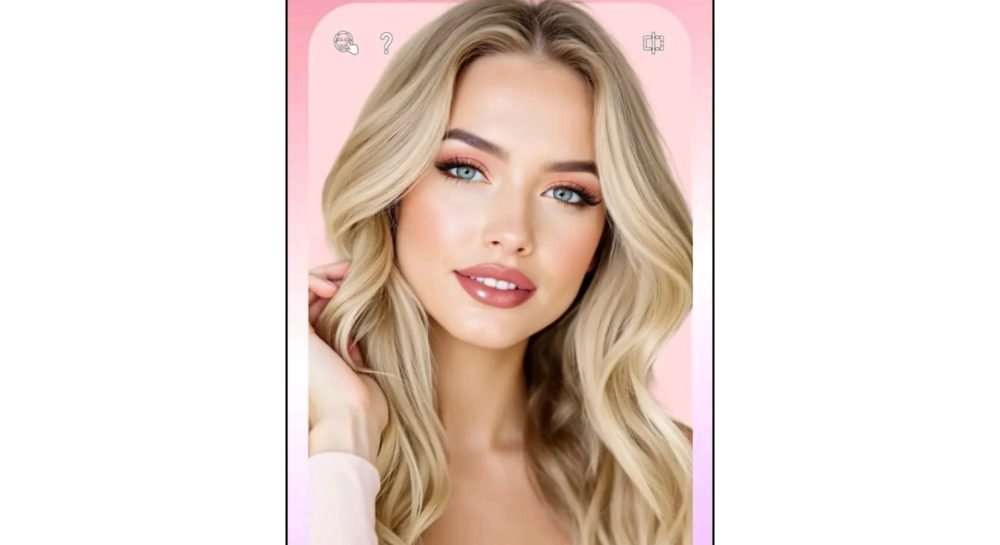
YouCam Makeup: What This Virtual Makeup App Actually Does
Buying a lipstick shade online and having it look completely different once it arrives is a familiar frustration for a lot of people. YouCam Makeup, built by Perfect Corp, tries to solve exactly that problem, letting you try on makeup virtually through your phone’s camera before spending money on the actual product. It’s grown into one of the more established names in this space, and it’s worth understanding what it actually does well before deciding if it’s worth installing.
What YouCam Makeup Actually Is
At its core, YouCam Makeup is an AR (augmented reality) beauty app that overlays realistic makeup effects onto your face in real time through your camera. Move your head, blink, talk, the makeup tracks with your face rather than sitting as a flat filter on top of a static image. Beyond the makeup try-on itself, it’s expanded into a broader set of tools: skin analysis, hairstyle previews, and general photo retouching.
Core Features Worth Knowing About
Virtual makeup try-on. This is the app’s main draw. Using face-tracking AR, it applies lipstick, foundation, eyeshadow, eyeliner, blush, and contouring in a way that follows your facial movement rather than looking like a static sticker slapped on your face. You can test different shades and combinations without touching an actual product, useful whether you’re deciding what to buy or just experimenting with a look before a wedding or event.
AI skin analysis. The app includes a scanning feature that evaluates things like visible texture, dark spots, and general skin condition, then offers general skincare suggestions based on what it detects. Worth treating this as a rough, casual indicator rather than anything close to a dermatological assessment, since a phone camera and an app algorithm aren’t a substitute for an actual skin professional if you have a genuine concern.
Hairstyle and color simulator. You can preview different hair colors and cuts on your own photo before committing to anything at a salon, genuinely useful if you’re considering a color change and want a rough sense of how it might look on you specifically rather than just imagining it.
Beauty camera and retouching tools. Beyond the makeup-specific features, the app includes general photo editing tools, skin smoothing, teeth whitening, minor reshaping, that function similarly to other photo editing apps in this category.
Free vs. Premium
The free version gives you access to the core makeup try-on tools and basic filters, enough to get a genuine feel for whether the app suits how you actually want to use it. The premium subscription unlocks the full range of makeup looks and filters, removes watermarks, and allows higher-resolution export, which matters more if you’re a content creator or makeup professional producing material you intend to actually publish or share professionally rather than just experimenting personally.
Whether the premium tier is worth paying for really depends on your use case. Casual personal use is well covered by the free tier. If you’re a makeup artist showing clients potential looks, or a beauty content creator producing regular posts, the unwatermarked, higher-resolution premium export becomes genuinely more worthwhile.
Who Actually Gets the Most Use Out of It
Online shoppers deciding between makeup shades without wanting to buy several products just to find the right one.
Makeup beginners who want to experiment with different looks risk-free before committing to actually applying anything.
Beauty content creators and influencers who need consistent, polished content and want to preview a look before a full shoot.
Salons and makeup artists, who can use the app’s try-on tools to show clients options during a consultation without needing to physically test multiple products.
A Few Practical Notes
Lighting affects accuracy. Like most AR-based apps, the realism of the makeup overlay depends a fair bit on how well-lit your face is in the camera feed. Testing shades under harsh or dim lighting will give you a less accurate preview of how a product might actually look in normal conditions.
It’s a preview tool, not a guarantee. Virtual try-on gives you a reasonable sense of a shade or style, but actual makeup on your actual skin under real lighting will always look somewhat different from a camera-based digital overlay. Treat it as a helpful narrowing-down tool rather than an exact match guarantee before buying.
Check permissions before installing. Since the app requires camera access to function (which is expected, given what it does), it’s still worth glancing at what else it requests during setup and only granting what’s actually necessary.
The Bottom Line
YouCam Makeup does what it sets out to do reasonably well: giving you a low-risk way to experiment with makeup looks, hairstyles, and general beauty content editing without needing to buy anything or have professional editing skills.
It’s a solid pick if you’re the kind of person who wants to try before you buy, or if you’re producing beauty-related content regularly and want a faster way to preview looks. For anything skin-health related specifically, treat the analysis feature as a casual indicator rather than a diagnosis
